evcc Integration
evcc is an open-source solution for smart control of wallboxes, heat pumps, and home batteries – designed to maximize the use of your self-generated electricity. The stromleser.one can be connected to evcc as a grid meter. evcc uses the local IP address of the device to fetch current consumption and feed-in data directly — no cloud required.
This integration is only available for stromleser.one devices.
Prerequisites
Make sure that:
- your stromleser.one is installed and connected to your Wi-Fi network
- you know the local IP address of your stromleser.one (found in the energieleser app under Settings → Device)
- evcc is installed and accessible on your system
Step 1: Open the evcc Dashboard
Open the evcc dashboard in your browser.
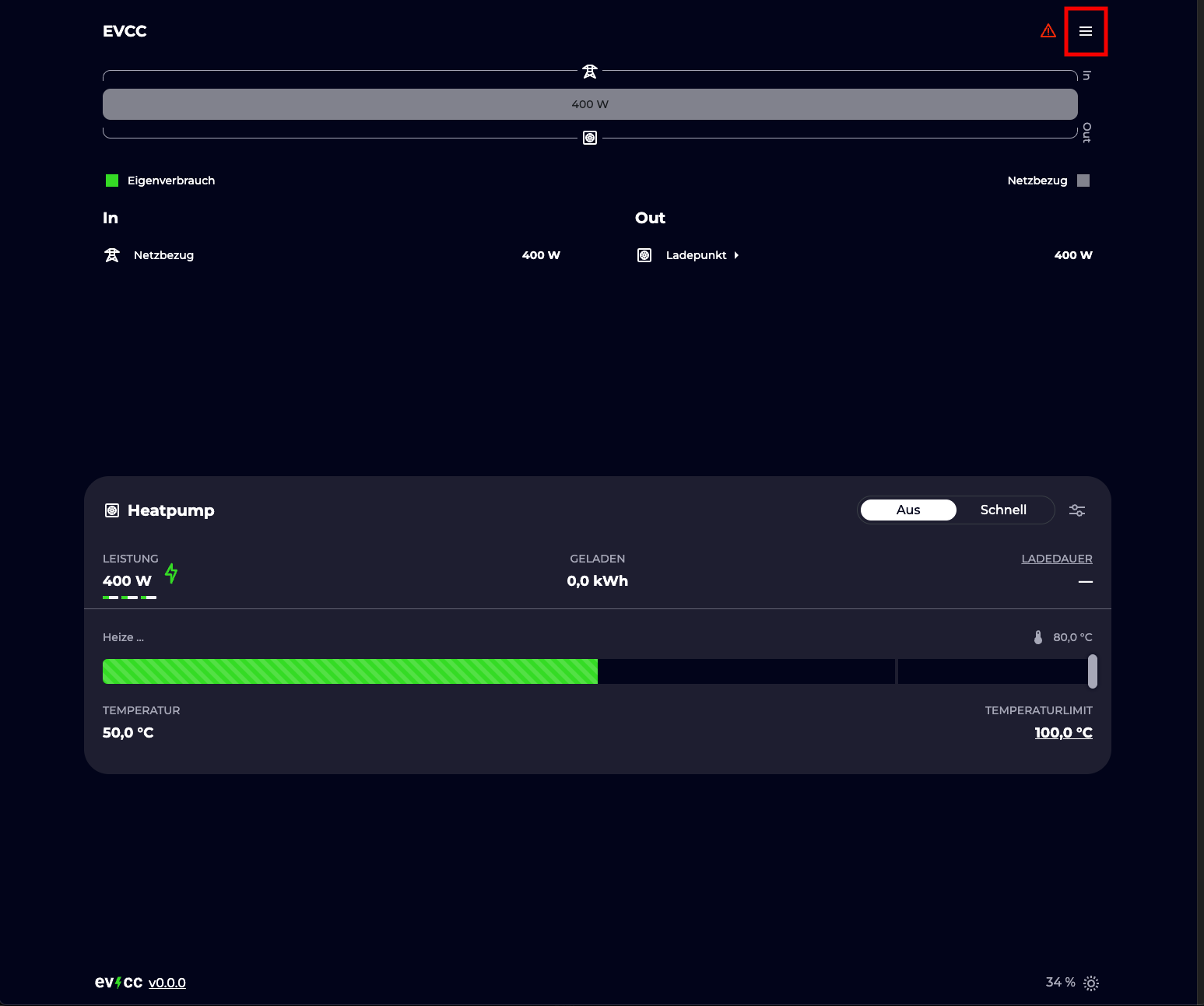
Step 2: Open Configuration
Click the hamburger menu (☰) in the top right corner and select Konfiguration (Configuration).
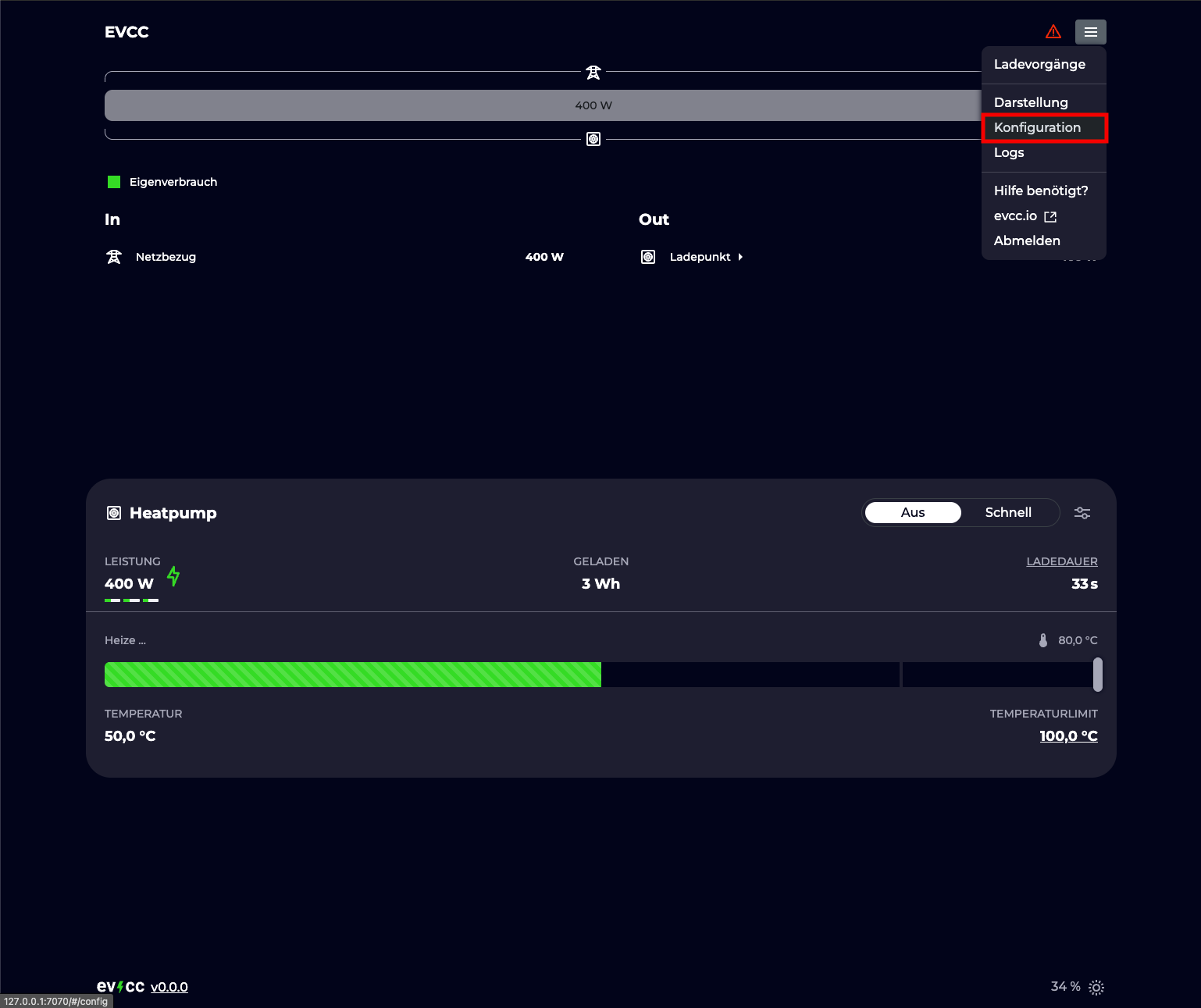
Step 3: Add a Grid Meter
Scroll to the NETZANSCHLUSS (Grid Connection) section and click + Netzzähler hinzufügen (Add grid meter).
If you also want to record your solar production, you can add the stromleser.one as an additional meter under PV & BATTERIE (PV & Battery).
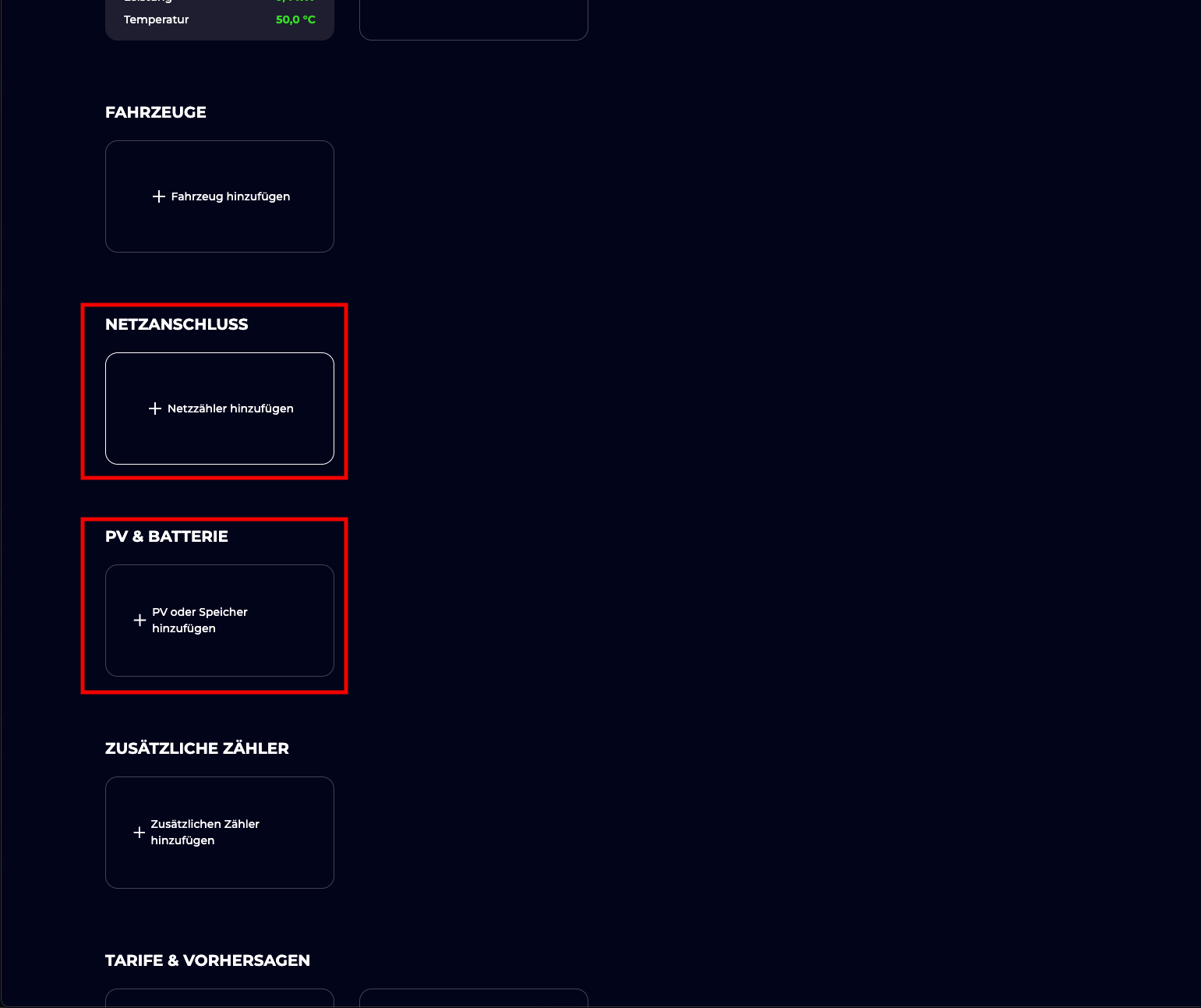
Step 4: Select stromleser.one IR Reader
Find stromleser.one IR Reader in the device list and select it.
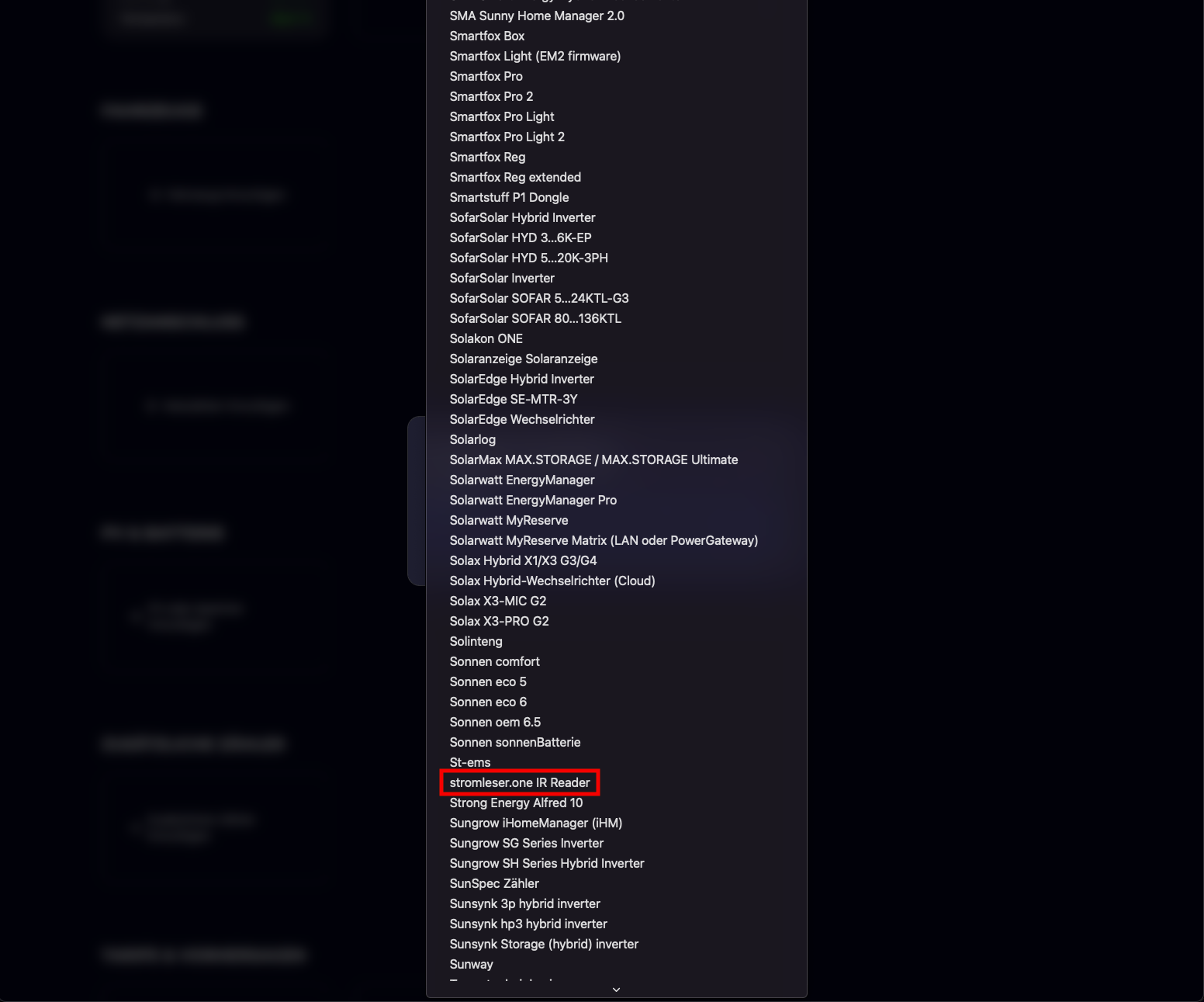
Step 5: Enter IP Address and Save
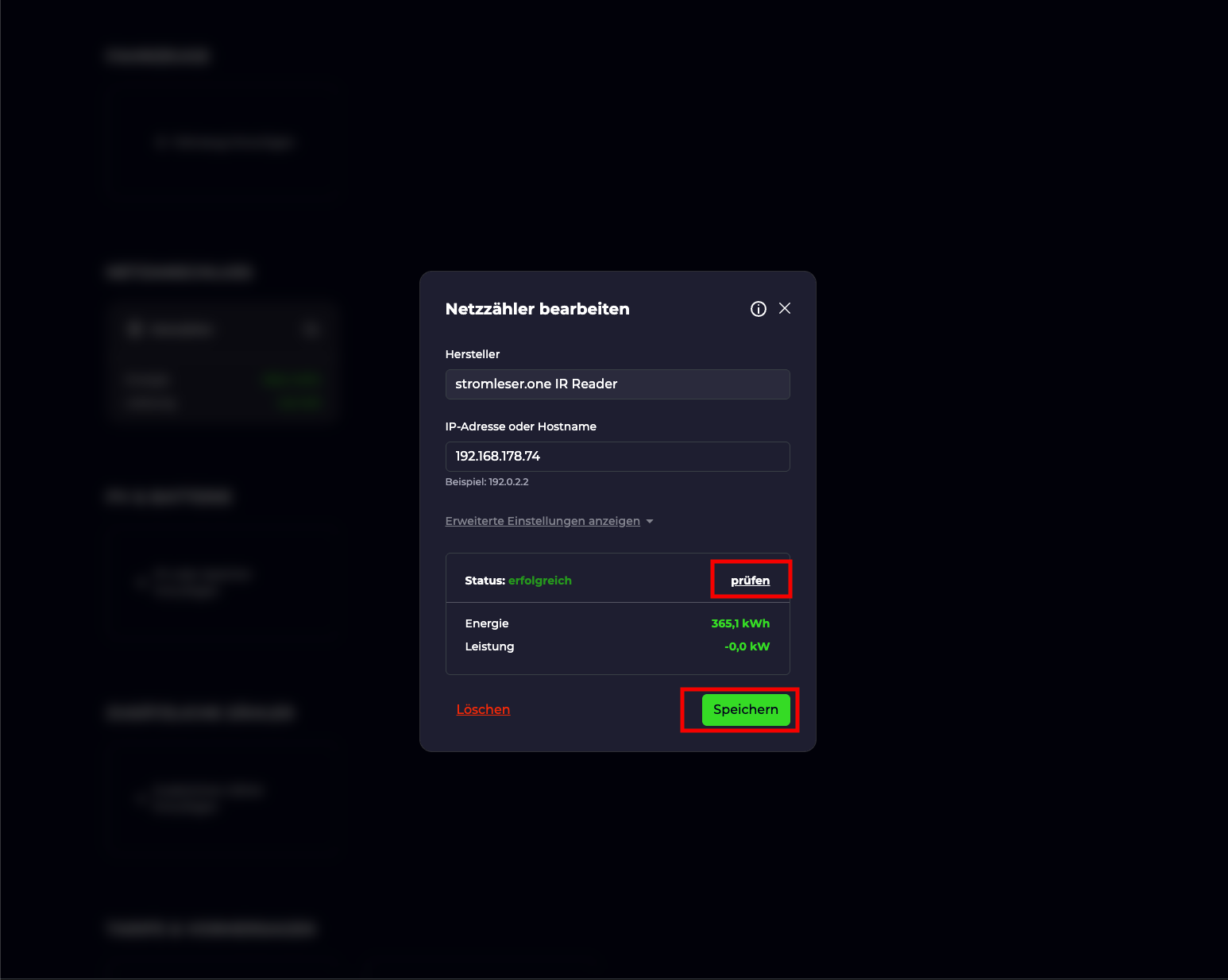
In the IP-Adresse oder Hostname (IP Address or Hostname) field, enter the local IP address of your stromleser.one (e.g. 192.168.178.74).
Then click Speichern (Save). evcc will automatically test the connection — if successful, you will see Status: erfolgreich (Status: successful) along with the current meter readings.
Setup Complete
Your stromleser.one is now connected to evcc as a grid meter. evcc reads live power and energy data directly via the device's local API and can use it for solar charging and self-consumption optimization.
Troubleshooting
Status shows an error instead of "erfolgreich"
- Double-check the IP address you entered
- Make sure evcc and the stromleser.one are on the same network
- Verify the stromleser.one is reachable (e.g. open
http://192.168.178.74in your browser)
stromleser.one IR Reader not appearing in the list
- Make sure you are running the latest version of evcc
- Search the list for "stromleser" — the device is listed under the letter S