Device Reset
If you experience connection issues or need to reconfigure your wasserleser, you can perform a factory reset.
When to Reset
Perform a factory reset in these situations:
- Connection to WiFi repeatedly fails
- Device is not responding
- You want to connect to a different WiFi network
- Persistent LED error signals (red blinking)
- Before transferring the device to someone else
How to Perform a Factory Reset
Step 1: Locate the Reset Button
The reset button is located inside the LED opening at the top edge of the device. The opening serves both for the LED indicator and for access to the reset button.
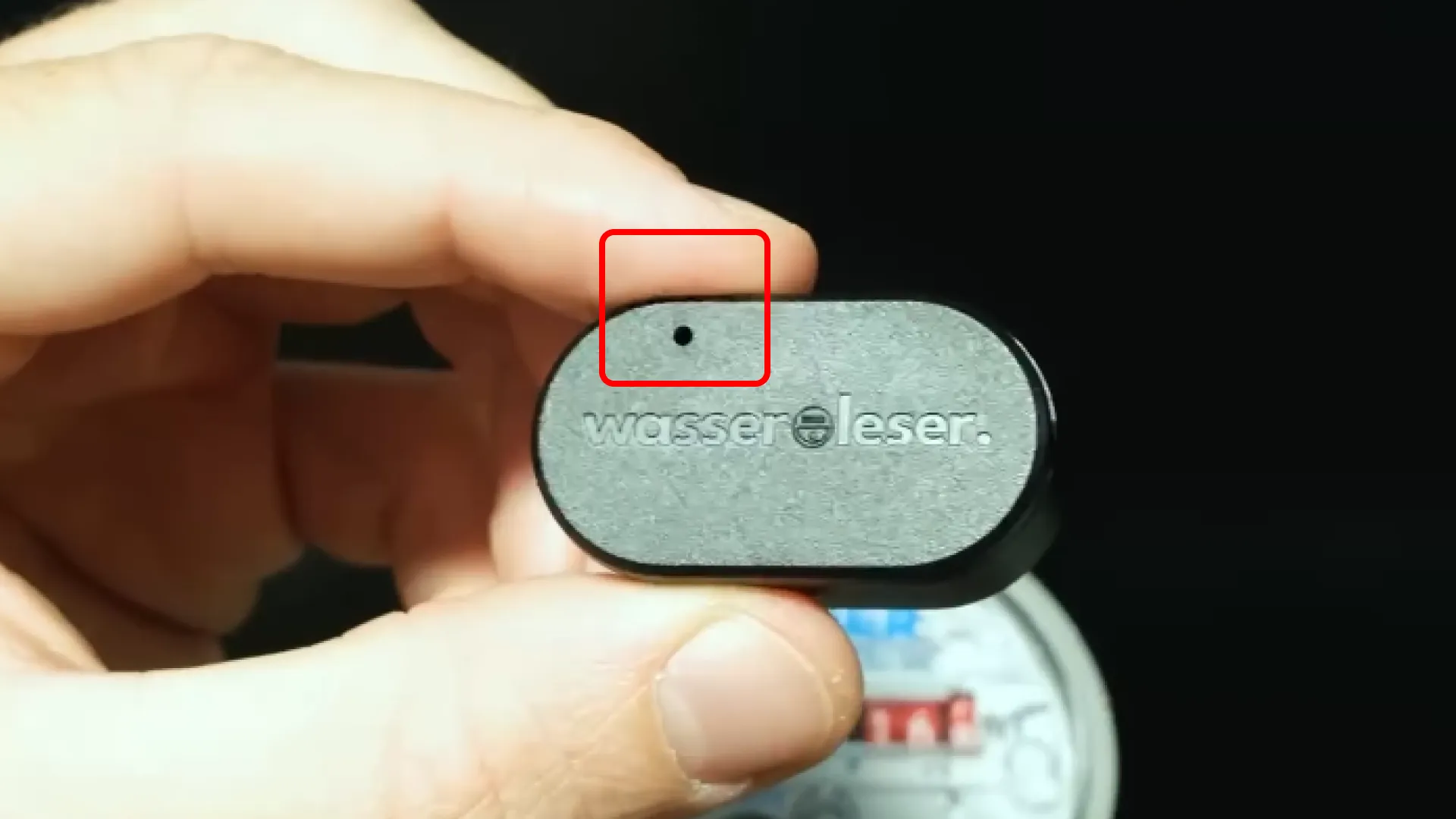
The small opening on the device has two functions:
- LED Indicator: Shows device status through various colors and blinking patterns
- Reset Button: Located beneath the LED opening
Step 2: Press and Hold Reset Button
- Use a SIM ejector pin or a paperclip or similar thin object
- Carefully insert it through the LED opening
- Press the reset button beneath the LED opening
- Hold for 7 seconds
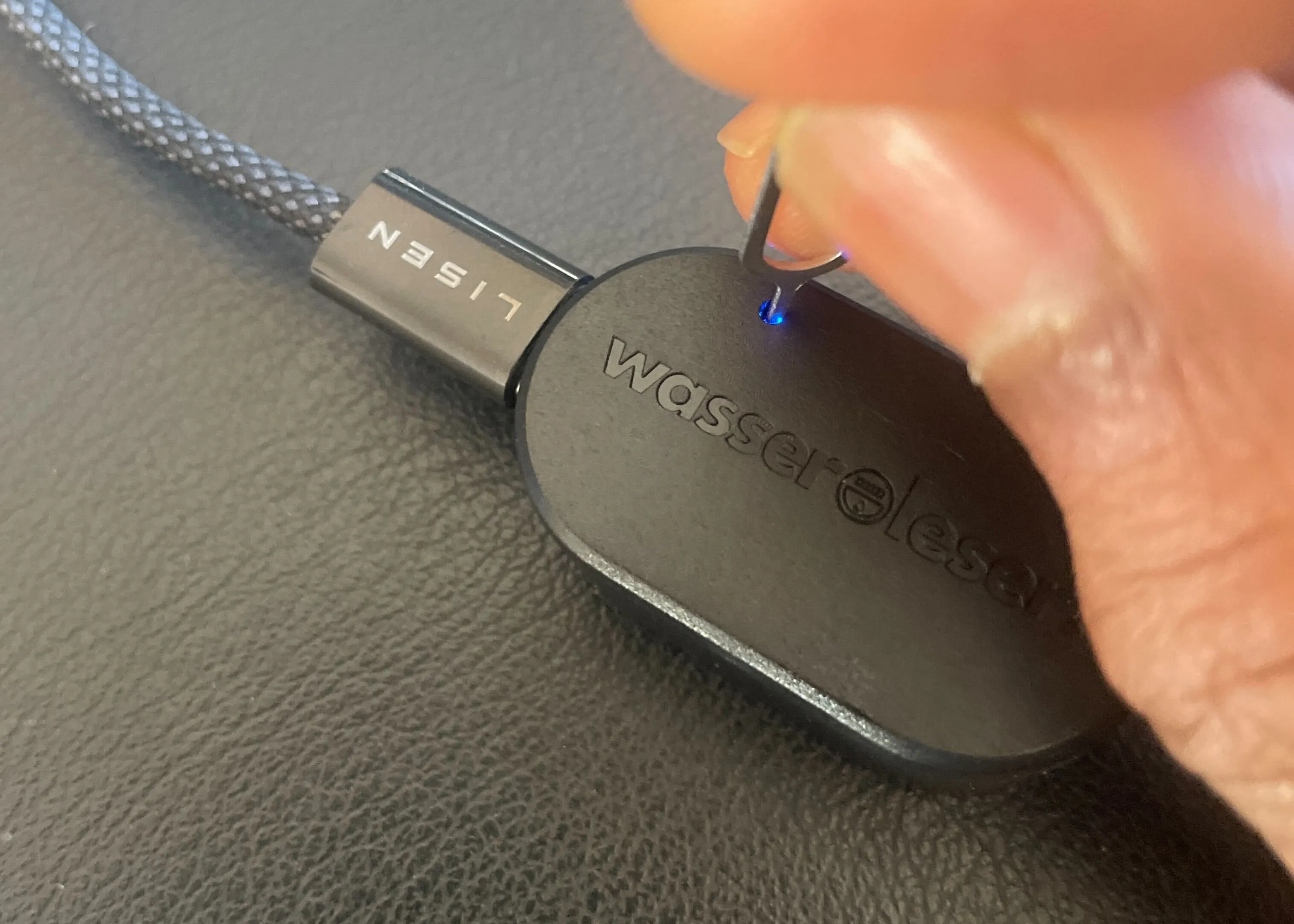
Step 3: Confirm Reset
After releasing the button, the LED will begin blinking blue rapidly. This indicates the wasserleser is ready for a new setup.
After Reset
Once reset is complete:
- The device returns to factory settings
- All WiFi and configuration data is erased
- You need to set up the device again through the app
- Follow the App Setup guide
- Re-enter your Initial Reading
A factory reset erases all device settings. You will need to reconfigure everything. Your historical data in the cloud remains safe and accessible.
Before performing a factory reset, try:
- Disconnecting power for 30 seconds
- Reconnecting and waiting for initialization
- Attempting the connection again
Troubleshooting Reset Issues
Reset button not responding:
- The reset button is located on the front of the wasserleser
- Use a thin paperclip or similar thin object
- Ensure you're pressing firmly enough
- Hold for the full 7 seconds
LED not blinking blue after reset:
- Disconnect power
- Wait 10 seconds
- Reconnect power
- Try reset again
No values showing after reset:
- Check that the sensor reading surface is positioned exactly above the turntable
- The turntable serves as the communication interface
- Ensure proper alignment for data transmission
- Verify water is flowing to generate pulses
Common Issues After Reset
Device not appearing in app:
- Ensure Bluetooth is enabled on your smartphone
- Keep smartphone close to the wasserleser
- Check that device is powered on (LED should be blinking)
- Try restarting the app
Connection keeps failing (red LED):
- Wait a few seconds
- Unplug the wasserleser from power
- Wait 10 seconds
- Reconnect power
- Try connecting again through the app
Need Help?
If the reset doesn't solve your problem:
- Check Firmware Updates
- Visit our community forum
- Contact support: info@energieleser.de or (+49) 711 / 6019 2327
- Latest documentation: https://link.stromleser.com/energieleserdocs