Factory Reset
If an error occurs during installation or you want to reconfigure the device, you can reset the stromleser.one to factory settings.
When is a Reset Necessary?
A factory reset is required when:
- ❌ The LED flashes red (error during installation)
- ❌ The Wi-Fi connection cannot be established
- ❌ The device no longer responds
- ❌ You want to set up the device in a new Wi-Fi network
Performing Reset
What You Need
- A paperclip or a pointed object
- Your stromleser.one must be powered
Step-by-Step Guide
-
Locate LED
- Find the red LED on the stromleser.one
- It is located on the device housing
-
Press Reset Button
- Take a paperclip or similar pointed object
- Press the red LED with it for about 7 seconds
- Hold the button until the LED starts flashing
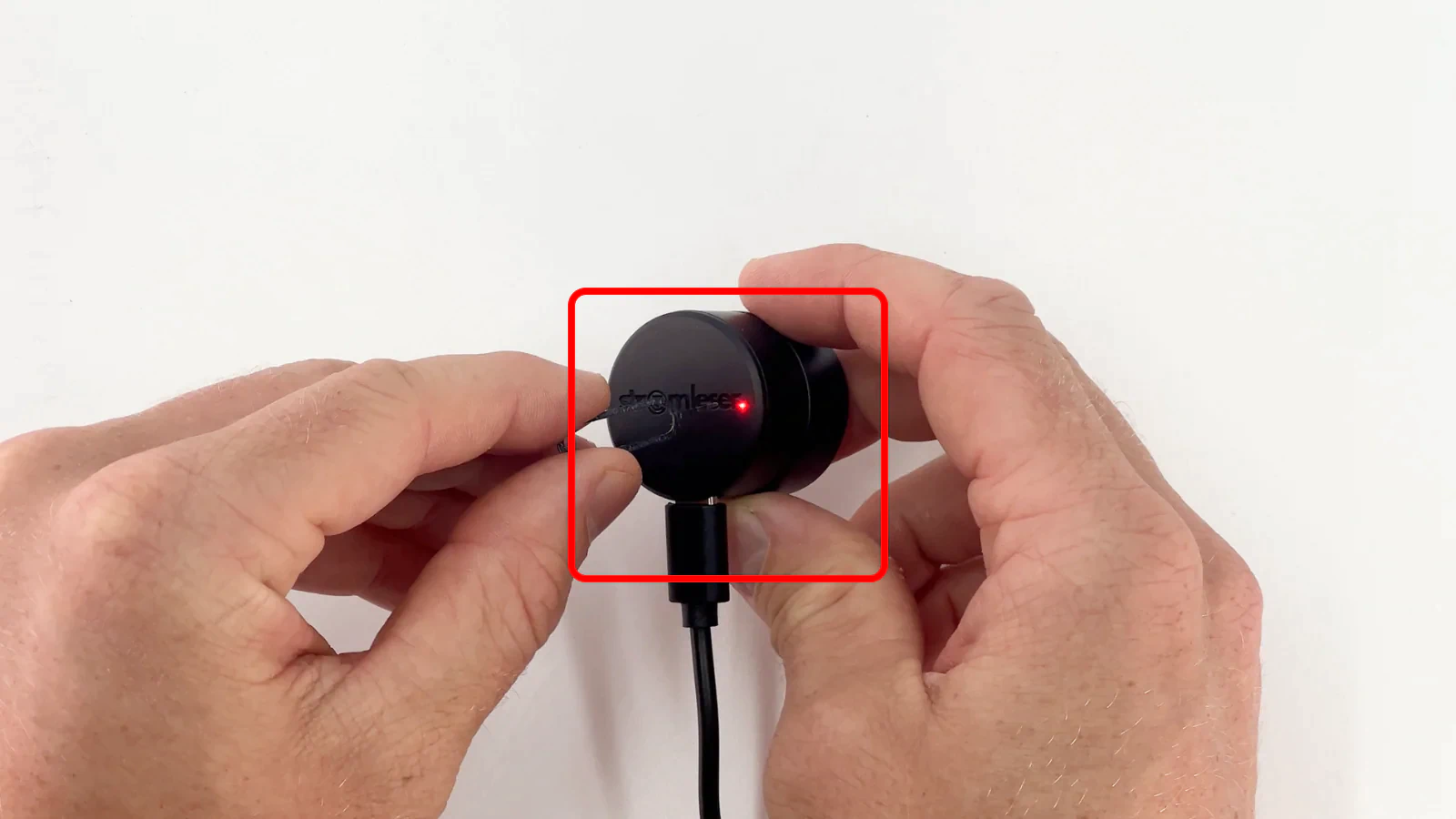
-
Wait for Blue Flashing
- After about 7 seconds, the LED will start flashing blue
- This signals that the reset was successful
- The device is now reset to factory settings
After Reset
After successful reset:
-
Restart Setup
- Open the stromleser app
- Start the setup process from the beginning
-
All Data Remains Preserved
- Your previous consumption data in the cloud remains saved
- You only need to reconnect the device to your Wi-Fi
Important
The reset only deletes the Wi-Fi configuration and device settings. Your consumption data in the cloud remains preserved.
Troubleshooting
LED Does Not Flash Blue
If the LED does not flash blue after 7 seconds:
-
Press Longer
- Try holding the button for 10 seconds
-
Check Power Supply
- Make sure the device is powered
- Disconnect and reconnect the USB-C cable
-
Try Again
- Wait 30 seconds
- Try the reset again
Device Does Not Respond at All
If the device does not respond at all:
-
Check Power Supply
- Check if the power adapter is working
- Test a different outlet
- Check the USB-C cable
-
Contact Support
- If the device still does not respond
- Contact our support
Next Steps
After successful reset, restart the setup process in the stromleser app.