Connecting Sensors to the Node
Every sensor is connected to a port of the Node with its cable. There is no additional wiring – just plug it in.
Up to 4 meters per Node
One Node can read up to 4 meters at the same time, as long as they are within range of each other. If your meters are further apart, you need several Nodes.
Which port does the sensor belong on?
The Node has four ports. The overview shows how the ports are numbered:
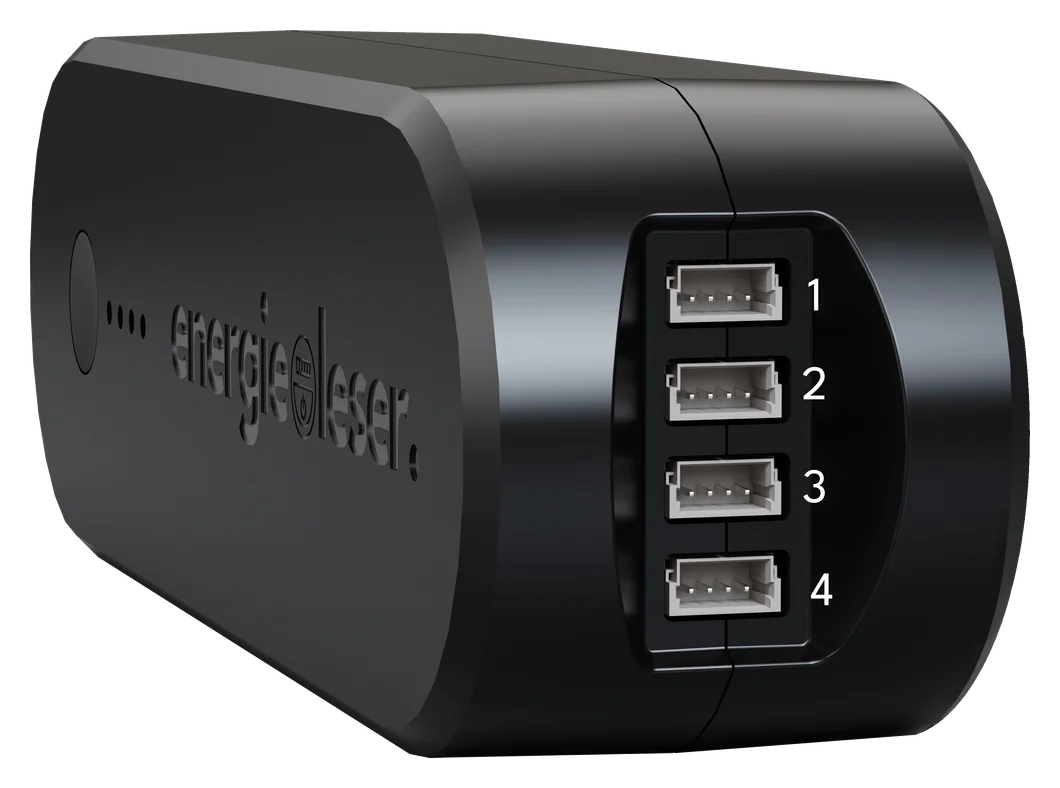
You can find the mounting instructions via the links in the column "Sensor (instructions)".
| Meter type | Sensor (instructions) | Connection port on the Node (recommendation) | Further notes |
|---|---|---|---|
| Electricity | stromleser.ttl | Exclusively Ports 1 + 2 | A maximum of 2 of these sensors can be connected to one Node. |
| Electricity | stromsensor.S0 | Recommendation: Ports 3 + 4 | Any port possible. The recommendation is based on battery life. |
| Electricity | stromsensor.S0light | Recommendation: Ports 3 + 4 | Any port possible. The recommendation is based on battery life. |
| Gas | gassensor.pulse | Recommendation: Ports 3 + 4 | Any port possible. The recommendation is based on battery life. |
| Gas | gassensor.reed | Recommendation: Ports 3 + 4 | Any port possible. The recommendation is based on battery life. |
| Water | wassersensor.pulse | Recommendation: Ports 3 + 4 | Any port possible. The recommendation is based on battery life. |
| Water | wassersensor.reed | Recommendation: Ports 3 + 4 | Any port possible. The recommendation is based on battery life. |
| Heat | wärmeleser | Exclusively Ports 1 + 2 | A maximum of 2 of these sensors can be connected to one Node. |
stromleser.ttl and wärmeleser on Ports 1 + 2 only
These two sensors only work on Ports 1 + 2. You can connect all other sensors to any port.
Next step
Continue with Mounting Sensors on the Meter.