Pairing with an External Device
You can also pair the Node with an external device. It then works like a radio device: it sends its readings by radio and has to be added in the external device with an AES key. You find the key on your Node itself. This is more involved than with the Bridge: you pair the Node manually by pressing the button and also assign the ports manually. With the Bridge, the app detects the Node automatically and you assign the ports in the app.
You find the AES key of the Node on your Node itself.
Assigning ports on the Node
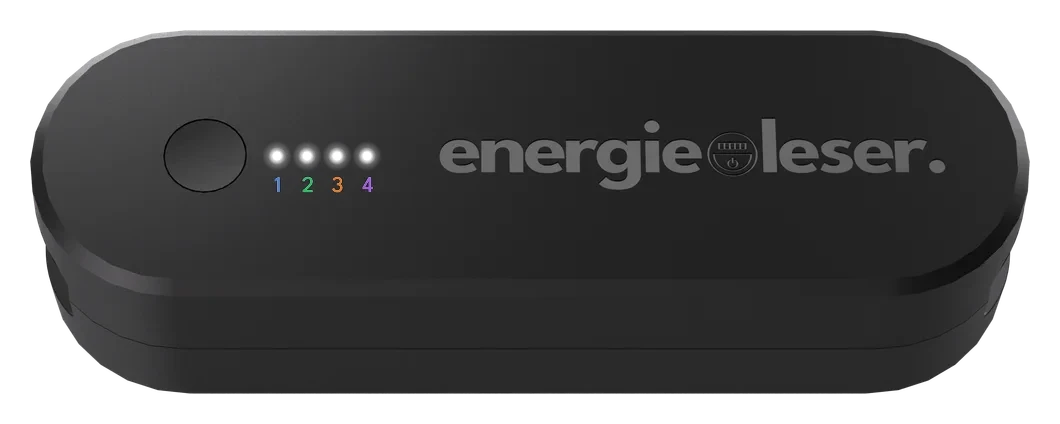
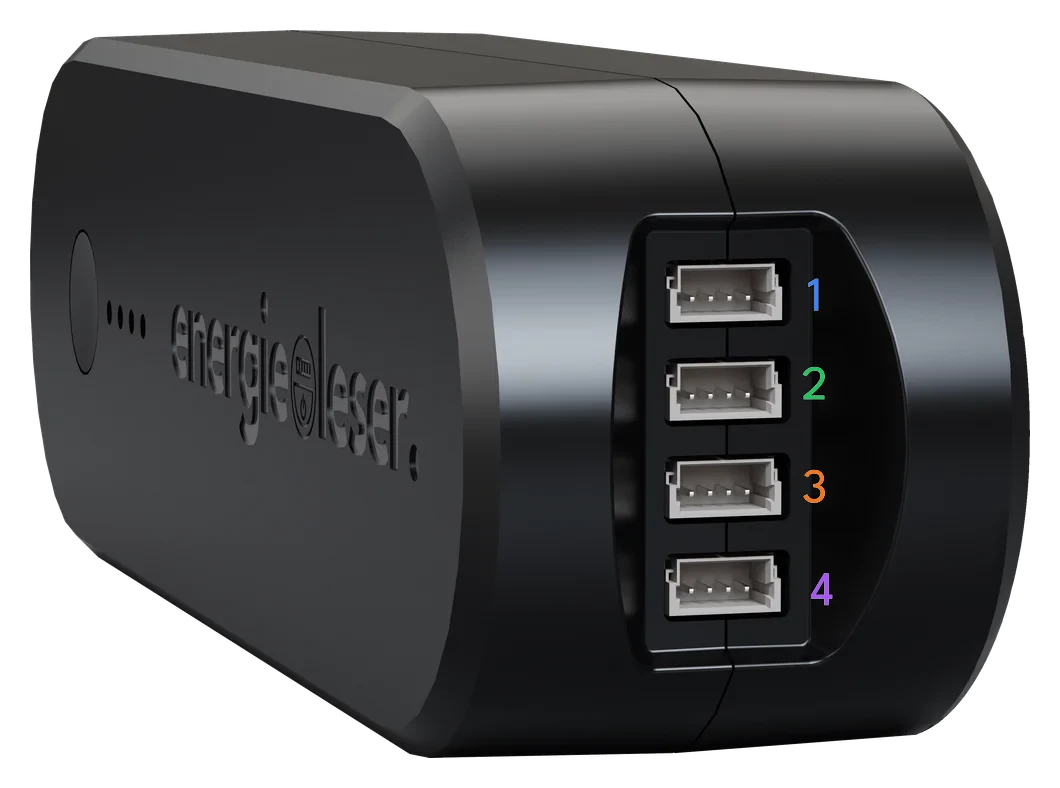
Without a Bridge, you assign the ports directly on the Node with the button. Each of the four LEDs stands for one port. You can see the port numbers in the image.
On the side of the Node you can see which connector you plugged your sensor into.
-
Choose a port. Press the button briefly until the LED of the port you want lights up. Here the LEDs stand for the ports:
- LED 1 = Port 1
- LED 2 = Port 2
- LED 3 = Port 3
- LED 4 = Port 4
Then hold the button for about 2 seconds to confirm the port.
-
Choose the meter type. Press the button briefly until the matching LED lights up. Here the LEDs stand for the meter type:
- LED 1 = gas
- LED 2 = water
- LED 3 = electricity
- LED 4 = heat
Hold the button for about 2 seconds to confirm. The LEDs blink to confirm, then the Node goes into energy-saving mode.
-
Choose the interface. Only for electricity on Port 1 you also choose the interface: a short button press switches between pulse and TTL, shown by a pattern of two LEDs. Hold the button for about 2 seconds to save. With TTL, the Node then searches for your meter.
-
Repeat. Repeat the steps for every port you use.
A port is only read once you have assigned a meter type to it. For a port without an assignment, the Node assumes that nothing is connected.