Tariff Parameters
Step 2 of the Gasleser configuration requires three important parameters from your gas bill. These parameters are essential for the correct calculation of your gas consumption and associated costs.
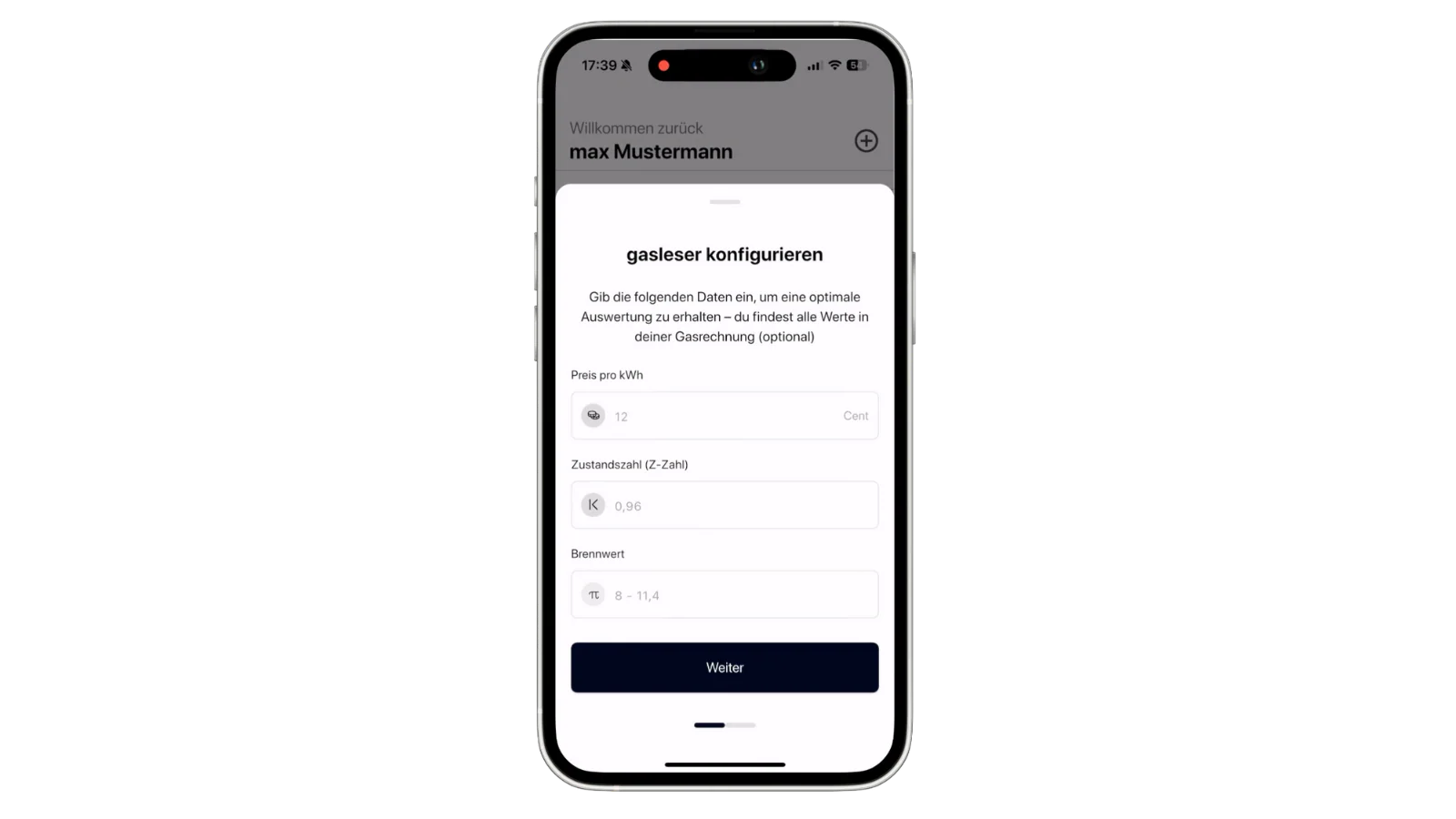
Required Parameters
1. State Number
- What is it? A temperature and pressure-dependent conversion factor
- Where to find? On your gas bill as "State Number" or "Z-Number"
- Typical value: Between 0.9 and 1.1
- Unit: Dimensionless
2. Calorific Value
- What is it? The energy content of gas per cubic meter
- Where to find? On your gas bill as "Calorific Value" or "Ho"
- Typical value: Between 8.0 and 12.0 kWh/m³
- Unit: kWh/m³
3. Price per kWh
- What is it? Your current gas price per kilowatt hour
- Where to find? On your gas bill as "Energy Price" or "Price/kWh"
- Format: Euro per kWh (e.g., 0.08 €/kWh)
- Unit: €/kWh
Finding Parameters on Gas Bill
Example 1: Standard Gas Bill

In this example, you'll find:
- State Number (Z): Usually in the "Consumption" or "Billing" section
- Calorific Value (Ho): Often listed next to the state number
- Price: In the "Costs" or "Tariff Details" section
Example 2: Alternative Bill Format
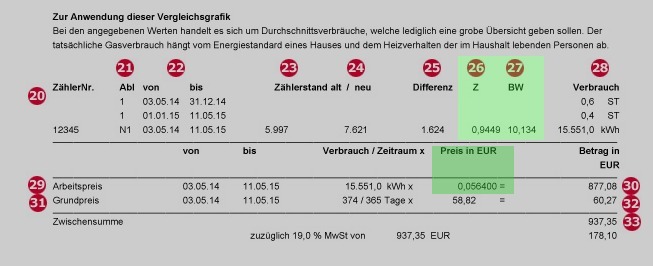
Different gas suppliers present these values differently:
- Sometimes as a table
- Often in fine print
- Sometimes on separate pages
Parameter Entry
- Enter State Number: Decimal value with comma or period
- Enter Calorific Value: Value in kWh/m³
- Enter Price per kWh: Amount in Euro
Important Notes
- Use current values from your latest gas bill
- State number can change seasonally
- Calorific value is usually relatively constant
- Price may change with tariff changes
Common Problems
State Number Not Found
- Check all pages of your gas bill
- Contact your gas supplier
- Default value: 0.95 (only as emergency solution)
Calorific Value Unclear
- Look for "Ho", "Hs" or "Heating Value"
- Default value for natural gas: approx. 10.0 kWh/m³
- When in doubt: contact gas supplier
Price Confusing
- Look for the energy price (not basic price)
- Conversion: Cent/kWh → Euro/kWh (divide by 100)
- Example: 8 Cent/kWh = 0.08 €/kWh
Update
These parameters can change. Check them with each new gas bill and update them in the Gasleser settings if necessary.
Next Step
After entering all tariff parameters, continue with configuring the Meter Parameters.