Meter Parameters
Step 3 of the Gasleser configuration deals with the specific parameters of your gas meter. These settings are crucial for precise measurement and calculation of your gas consumption.
Required Parameters
1. Current Gas Meter Reading
The first parameter is the current reading of your gas meter.
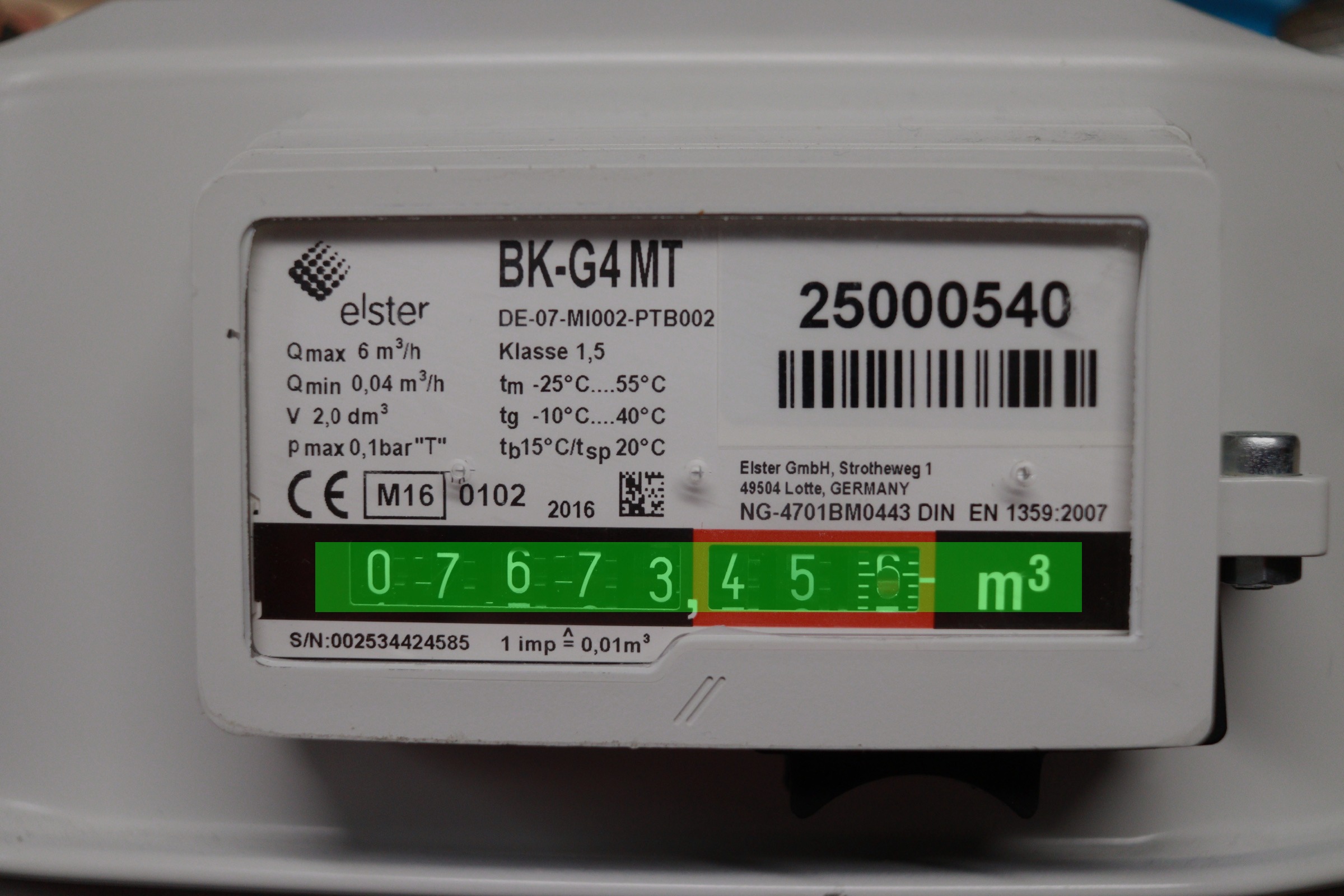
How to read the meter reading:
- Large numbers: The main display shows consumption in cubic meters
- Before decimal: Cubic meter indication (the important digits)
- After decimal: Decimal places (red numbers or smaller display)
- Entry: Enter the complete value (e.g., 1234.567)
Read all visible digits, including decimal places. This ensures the highest accuracy in consumption measurement.
2. Pulse Value (Cubic Meters per Pulse)
The second important parameter defines how much gas consumption corresponds to one meter pulse.
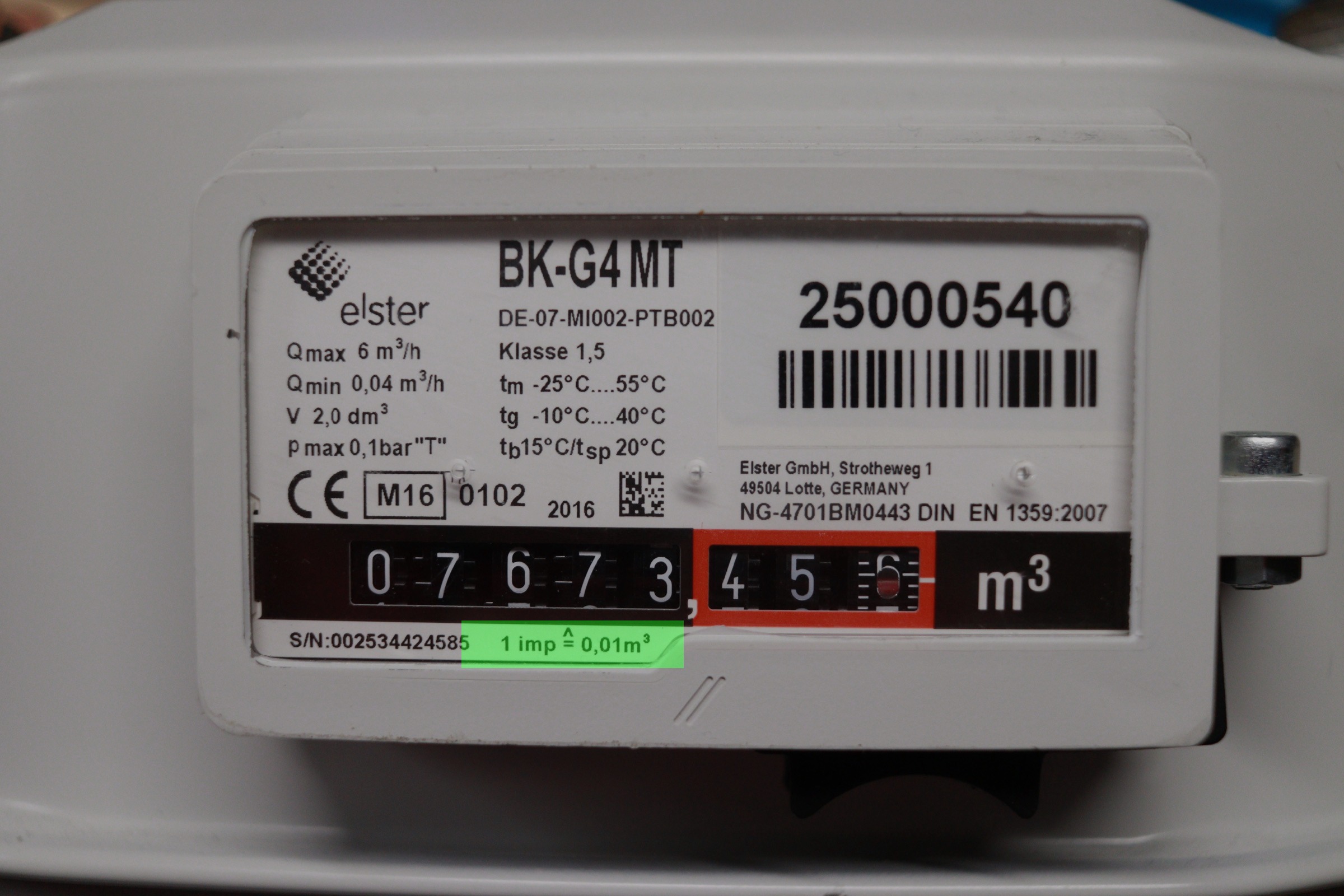
Standard pulse value: 0.01 m³ per pulse
Where to find this information:
- On the gas meter itself: Usually as a sticker or embossing
- Labels: "1 Imp = 0.01 m³" or similar
- Technical data: On the meter's nameplate
Parameter Entry
Enter Gas Meter Reading
- Read current reading: Directly from the gas meter
- Enter complete value: Including decimal places
- Note format: Use period or comma for decimal places
Configure Pulse Value
- Default value: 0.01 m³/pulse (for most meters)
- Verification: Check the specifications on your meter
- When uncertain: Use default value
Different Gas Meter Types
Common Pulse Values
- 0.01 m³/pulse: Standard for most household meters
- 0.001 m³/pulse: For very precise or smaller meters
- 0.1 m³/pulse: For older or industrial meters
Meter Reading Formats
- Integer + Decimal: 1234.567 m³
- Integer only: 1234 m³ (decimals on separate display)
- Different colors: Black digits (m³), red digits (liters)
Why These Parameters Are Important
Gas Meter Reading
- Starting point: Defines the baseline for consumption measurement
- Accuracy: Basis for all subsequent calculations
- Continuity: Enables correct consumption history
Pulse Value
- Conversion: Converts meter pulses to cubic meter consumption
- Precision: Determines measurement accuracy
- Compatibility: Ensures Gasleser communicates correctly with your meter
Common Problems and Solutions
Meter Reading Hard to Read
- Lighting: Use a flashlight
- Perspective: Look directly at the display
- Timing: Choose a quiet moment (no gas consumption)
Pulse Value Not Found
- Use standard: 0.01 m³/pulse is correct for >90% of meters
- Contact manufacturer: For special or industrial meters
- Ask gas supplier: They often have detailed meter information
Inaccurate Measurements
- Check parameters: Verify entered values
- Update meter reading: Re-enter after longer breaks
- Verify pulse value: Cross-reference with meter specifications
The Gasleser starts counting from the configuration point. The entered meter reading is used as the starting point. Subsequent changes affect the entire consumption history.
Complete Configuration
After entering both parameters:
- Check values: Verify for plausibility
- Save: Confirm configuration
- Test: Perform first test run
Next Step
With the configured meter parameters, the basic configuration is complete. Continue with Configuration Completion.